Check Client-Supplied Assets Before Creative Production Starts
A folder of logos, photographs and text is not automatically ready for production. Check usability, intended use and permission evidence early enough to replace missing material without disrupting the final review.
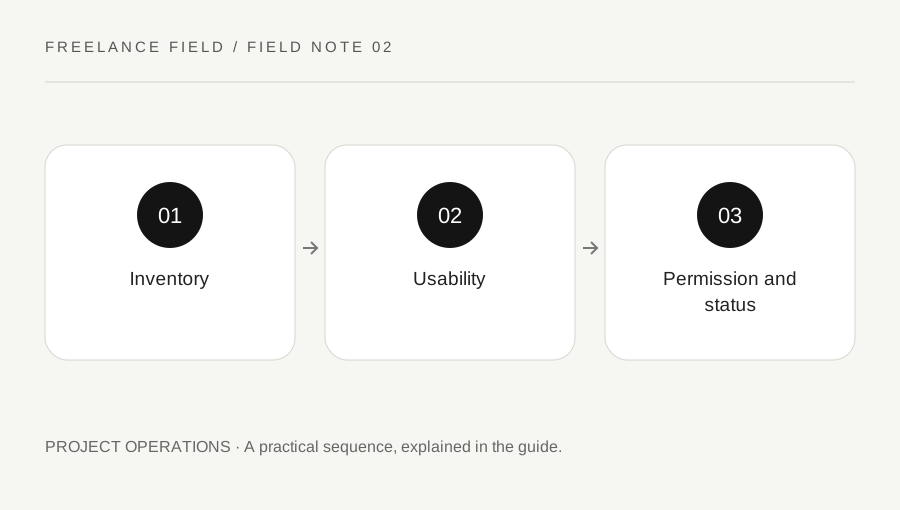
Original explanatory diagram. Examples illustrate a method or decision; they are not claims of personal testing.
Create an asset list tied to outputs
Start with the actual deliverables and list the assets each needs. A landing page may need a logo variant, three photographs, approved product copy and a contact address. A printed leaflet may need different image resolution and a printer specification. Avoid asking the client for every file they have ever used.
Give each required item a simple status: received, usable, needs clarification or missing. Record the source filename and the intended placement. If one image is used in several outputs, list those uses rather than assuming permission for one automatically covers all. An asset list becomes useful when it shows the next action, not merely how many files arrived.
Inspect the file without altering the original
Keep the supplied original and inspect a working copy. Check whether the file opens, whether it is the expected version and whether its technical properties suit the output. A small image copied from a presentation may look acceptable in a thumbnail but fail in a large print placement. A logo screenshot is different from an editable vector original.
For an illustrative poster project, identify the target image size and printer requirements before rejecting or accepting a photograph. Ask for the original export if the supplied file has been heavily compressed. Do not invent a universal resolution rule detached from viewing distance and production method. Document the specific issue so that the client knows what replacement to request.
Ask about the permitted use
Request the relevant licence, ownership confirmation or permission information for third-party material. WIPO explains that copyright applies to many creative works and that permitted uses should be clear. Finding an image online, receiving it in an email or paying for a previous design does not by itself answer every rights question.
Keep questions concrete: who supplied this image, what licence applies, does it cover this medium and territory, and is attribution required? Do not provide a legal assurance beyond your competence. If the planned use is uncertain, pause that asset and seek suitable advice or a replacement with clear permission. Keep evidence linked to the asset rather than relying on a general statement about the whole folder.
Resolve content authority as well as file quality
A technically usable document can still contain outdated claims, names or contact details. Ask who is responsible for approving factual content and whether any copy is placeholder text. Separate your editing work from specialist approval, such as a client review of product specifications. Do not silently convert a rough draft into a claim that everyone has approved.
Use a small example in the intake note: the photograph is usable, the caption needs a confirmed date, and the quoted customer statement lacks an approval record. These are different blockers with different owners. Assign the next action and a needed-by date to each one. That makes the client response more focused than a broad request to send better materials.
Freeze a usable set for the next milestone
Once questions are resolved, label the approved asset set and tell collaborators where it lives. Keep rejected or superseded items in a clearly separate location so they are not chosen accidentally. Record any agreed substitution and its effect on the design. A late asset change may require a new production estimate rather than a quick file swap.
Before final output, compare the export against the approved set. Check image credits, final spelling and whether a placeholder survived. Keep permission records according to the project agreement and your retention practice. The aim is a traceable production set with known limits, not an unsupported guarantee that every possible legal issue has been eliminated.
A practical checklist
Choices are saved in this browser. Reset them here or clear this site’s browser storage.
Questions that come up
Does client supply prove ownership?
No. Ask for relevant permission or licence information and resolve unclear intended uses before publication.
Should I replace every low-resolution image?
Assess it against the actual placement and production requirements. A small thumbnail and a large print need different decisions.
Who approves factual copy?
Agree on an appropriate client content owner and any necessary specialist review. Do not assume a supplied draft is final.
References & scope
Background references checked on 18 October 2026. Worked examples and diagrams are original teaching material.