Write a Creative Project Status Update That Helps the Client Decide
A useful status update shows what is complete, what happens next and which decision is needed. It should help the client act without reading a diary of every production task or guessing what a reassuring colour means.
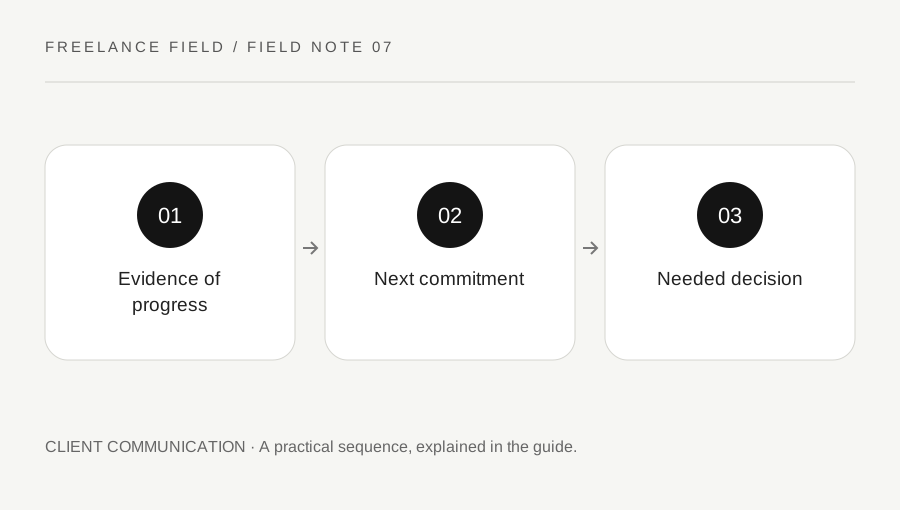
Original explanatory diagram. Examples illustrate a method or decision; they are not claims of personal testing.
Choose a stable update rhythm
Agree how often the client’s needs an update for this project. A short engagement may need updates at milestones; a longer production may benefit from a predictable weekly note. Choose a rhythm that matches real decisions rather than sending messages merely to appear busy. Tell the client where the current update can be found.
Use the same small structure each time so that changes are easy to see. Include the project name, date and current milestone. If you use status labels such as on track or at risk, explain their meaning. A green indicator without a defined baseline can hide a missing approval as easily as it can communicate confidence.
Describe completed work with evidence
Report a completed output or resolved question, not only time spent. For example, three supplied case studies are now laid out in proof version two is clearer than working hard on the brochure. Link the relevant review version when appropriate and state whether it is a draft, internal check or client-ready proof.
Avoid claiming completion for work that still needs required input. A page with placeholder figures may be visually drafted but not ready for approval. Use precise verbs such as drafted, checked, approved or exported. This distinction helps the client understand why something that looks finished still has a dependency before final delivery.
Show the next commitment and its conditions
State the next output and expected date, then list the conditions that matter. Keep the list short enough to act on. If the next milestone depends on final copy by Tuesday, make that relationship explicit. Do not hide a condition in a long paragraph after presenting the date as certain.
For an illustrative slide project, the next commitment might be a complete proof after receipt of the final data table. Name the owner of that table and the latest useful arrival date. If it arrives later, explain that you will confirm a revised schedule. This is more useful than a vague statement that everything depends on feedback.
Present blockers as decisions or actions
Describe the issue, its effect and the requested response. A useful blocker note says that two image options have different permission status and asks the client to choose the cleared option or provide the missing licence. It does not merely announce that images are a problem. Separate your recommendation from the client’s authority to decide.
If there is a delay, state what changed and the current best route. Avoid blame and avoid false reassurance. Offer a concrete mitigation where one exists, such as reviewing unaffected pages while a data point is confirmed. If the mitigation changes scope, timing or commercial terms, use the agreed change process rather than concealing the tradeoff in a status note.
Keep the message brief but traceable
Put the most consequential information first, especially a decision that threatens the next milestone. Link detailed working records instead of copying them into every update. A status message is a navigation point for the project, not the full archive. Keep confidential materials accessible only to the intended recipients.
End with a small list of named actions and dates only when actions are actually required. At the next update, close or carry forward those items explicitly. Use the record to improve future schedules: repeated missing-input blockers may reveal an intake issue. The update process should reduce uncertainty and support decisions, not create a second production job for everyone involved.
A practical checklist
Choices are saved in this browser. Reset them here or clear this site’s browser storage.
Questions that come up
Should I list every task?
No. Include the outputs and changes the client’s needs to understand. Link supporting detail when it is useful.
Can I say on track without a fixed schedule?
Define the relevant baseline first. Otherwise describe the actual next commitment and remaining uncertainty.
What if there is no new progress?
Report the current state honestly, explain the blocker and identify the action needed. Do not invent activity.
References & scope
Background references checked on 18 October 2026. Worked examples and diagrams are original teaching material.